RampTwin
Turning airport ramp cameras into an exception-first control room.
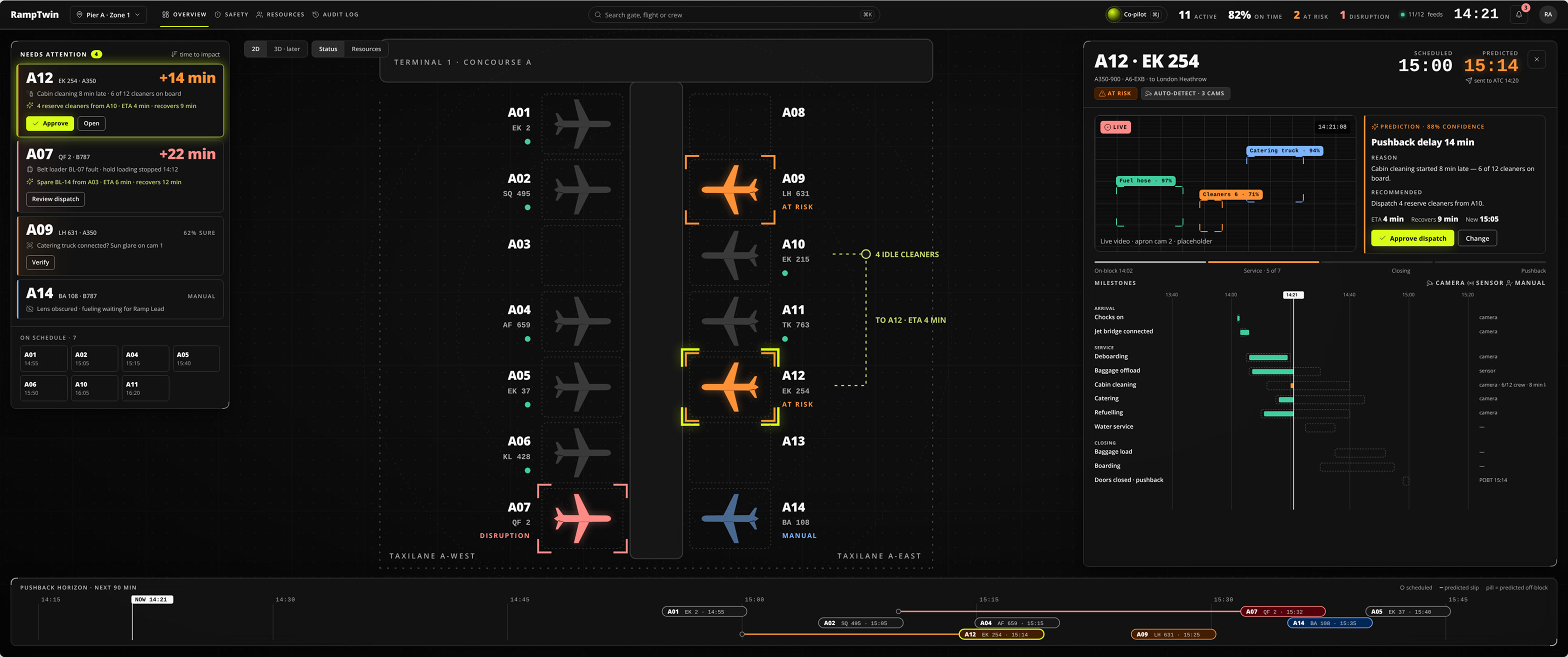
One late truck, a cascade of delays.
A wide-body aircraft has 60–90 minutes on the ground and 12+ teams must finish in sequence. One late catering truck cascades into missed ATC slots and $100.76 per minute of operational bleed.
Invisible bottlenecks
Controllers discover delays after they have already cascaded.
Fragmented tools
Cameras, radio, timestamps and tasks live in separate systems.
Manual timestamps
People reconstruct the turnaround instead of controlling it.
Every minute has a price.
The numbers behind a single wide-body turnaround.
On the ground
For every wide-body turnaround.
In strict sequence
Each finishing its job before the next can start.
Operational bleed
For every minute of delay.
“How might we give a controller an exception-first view of 8–15 gates, explain every AI prediction, and keep the turnaround tracked when cameras go blind?”
Design questionTwo people, one gate, opposite worlds.
Two personas act on the same gate at the same time, in opposite environments.
Rania
“Knowing where to look before the radio call arrives.”
- Delays surface after they have cascaded
- Cameras, radio and tasks sit in separate tools
- Has to reconstruct timestamps by hand
- Spot the gate at risk
- Understand why
- Approve the fix
- Verify the outcome
Joseph, Ramp Lead
Apron heat, noise, glare, gloves, two gates. Sees what’s late, accepts crew, confirms. Good feels like one clear action without taking off a glove.
See · Accept · ConfirmPrediction exists. Action doesn’t.
Vision tools already predict delays; none pairs the prediction with its reason, a one-click fix and a field app.
Assaia ApronAI
Turnaround prediction
No integrated field action
ADB SAFEGATE AiPRON 360
Airport ecosystem
Complex operator workflow
INFORM GroundStar
Resource planning
Limited visual verification
Searidge Aimee
Airside visibility
No shared task loop
Calm by default, clear when it counts.
Five rules shared by the console and the tablet.
Quiet until it matters
Never a number without a reason
The human has the last word
Degrade gracefully
One language, two environments
Two devices, one loop.
26 screens across a control-room console and a ramp tablet. Four console sections and three tablet tabs create one closed loop from machine observation to human action and verified outcome.
S02 · Console
S03 · Console
S05 · Console
S20 · Tablet
S20 · Tablet
S03 · Console
Console: Turnaround Controller · left sidebar · 16 screens. Tablet: Ramp Lead · bottom tab bar · 10 screens.
Home is the map
Overview holds every gate. Safety, Resources and Audit are side trips you return from.
Detail opens in place
Gate detail slides in beside the map, so context never disappears while you decide.
Urgent work comes to you
On the tablet, tasks and confirmations arrive as sheets. The Lead never goes looking.
One lime action per view, never a status.
A dark graphite base, one Volt accent reserved for the next action, and four status colours. Product type is set in Open Sans.
- Graphite
#171717 - Surface
#202020 - Volt
#D8FD18 - On schedule
#41CC9D - At risk
#FF9136 - Disruption
#FF8A86 - Manual
#7CB4FD
- Gate B14
Bold - Turnaround at risk
SemiBold - Fuelling starts in 6 minutes
Regular - On schedule
SemiBold caps
Product type across console and tablet.
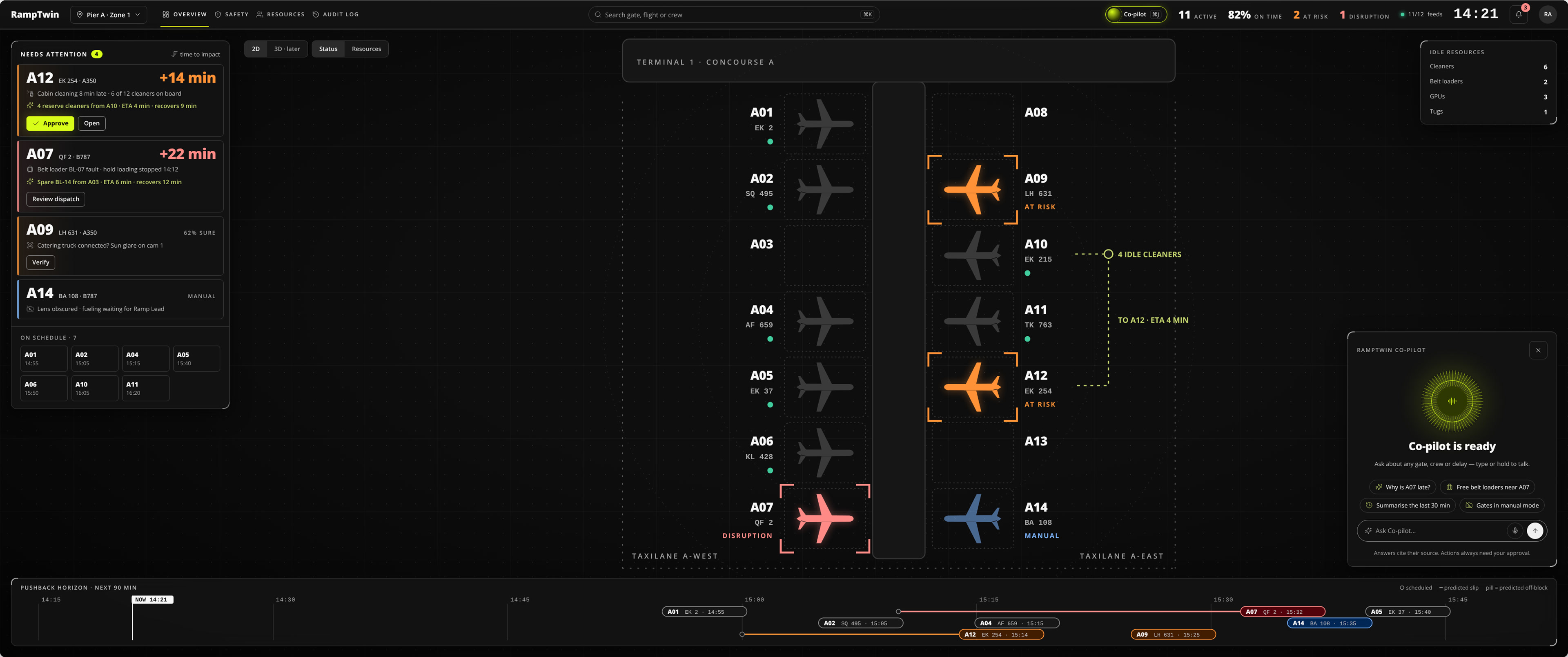
A digital twin of the apron.
Exceptions float on the canvas, and a pushback horizon plots the next 90 minutes.
Predict
Exceptions appear before they cascade.
Explain
Every number carries reason and effect.
Control
Humans approve or override every action.
Spot, diagnose, approve, without hunting.
Three console screens for the controller. Console runs at 3440 × 1440, dark.
Every turnaround on one map.
Every active turnaround on one 2D apron map. Gates are ranked exception-first, so the two or three at risk rise to the top while healthy ones stay quiet.
- Risk-ranked gate list
- Live countdown per gate
- Lime only on the one action that matters
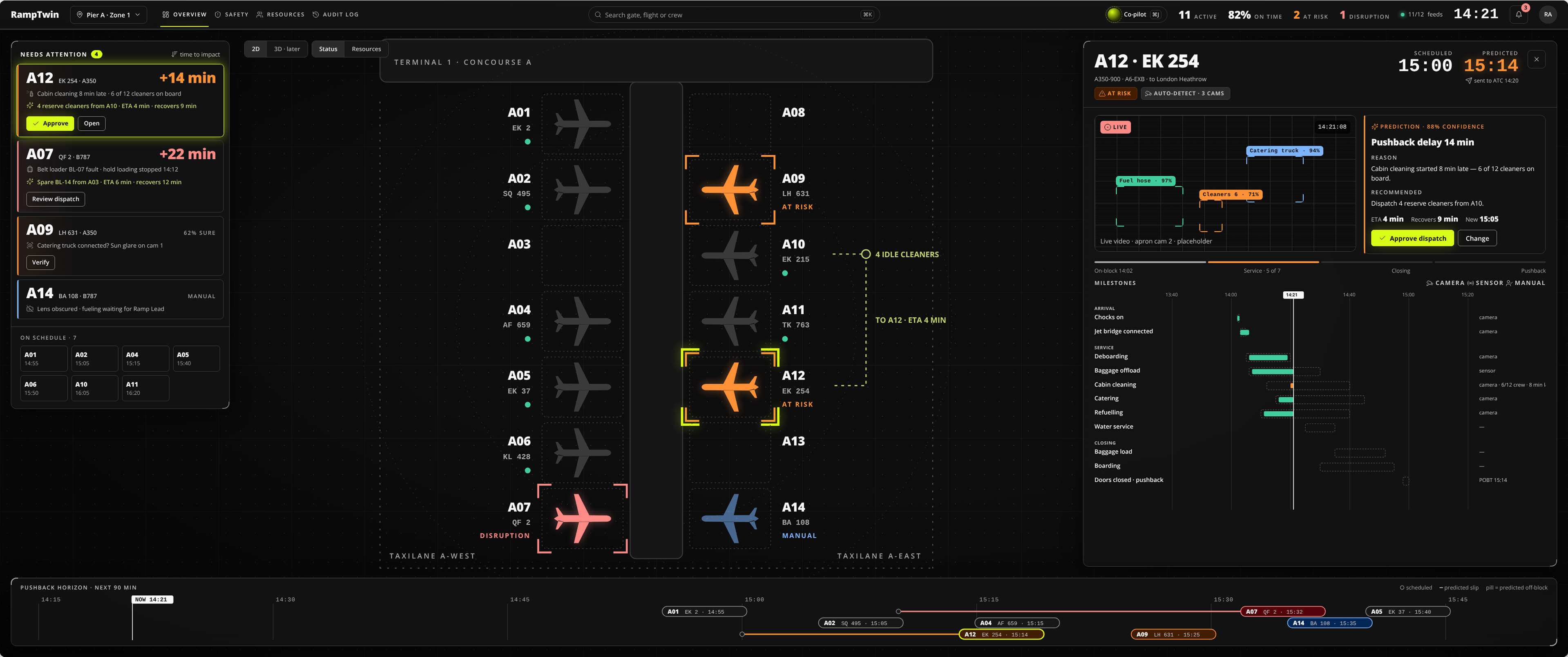
One gate, every task.
Fuel, catering, baggage and cleaning on a single timeline. The critical path and predicted delay are shown, with a dispatch fix ready for one-click approval.
- Critical path highlighted
- Predicted delay in minutes
- One-click dispatch approval
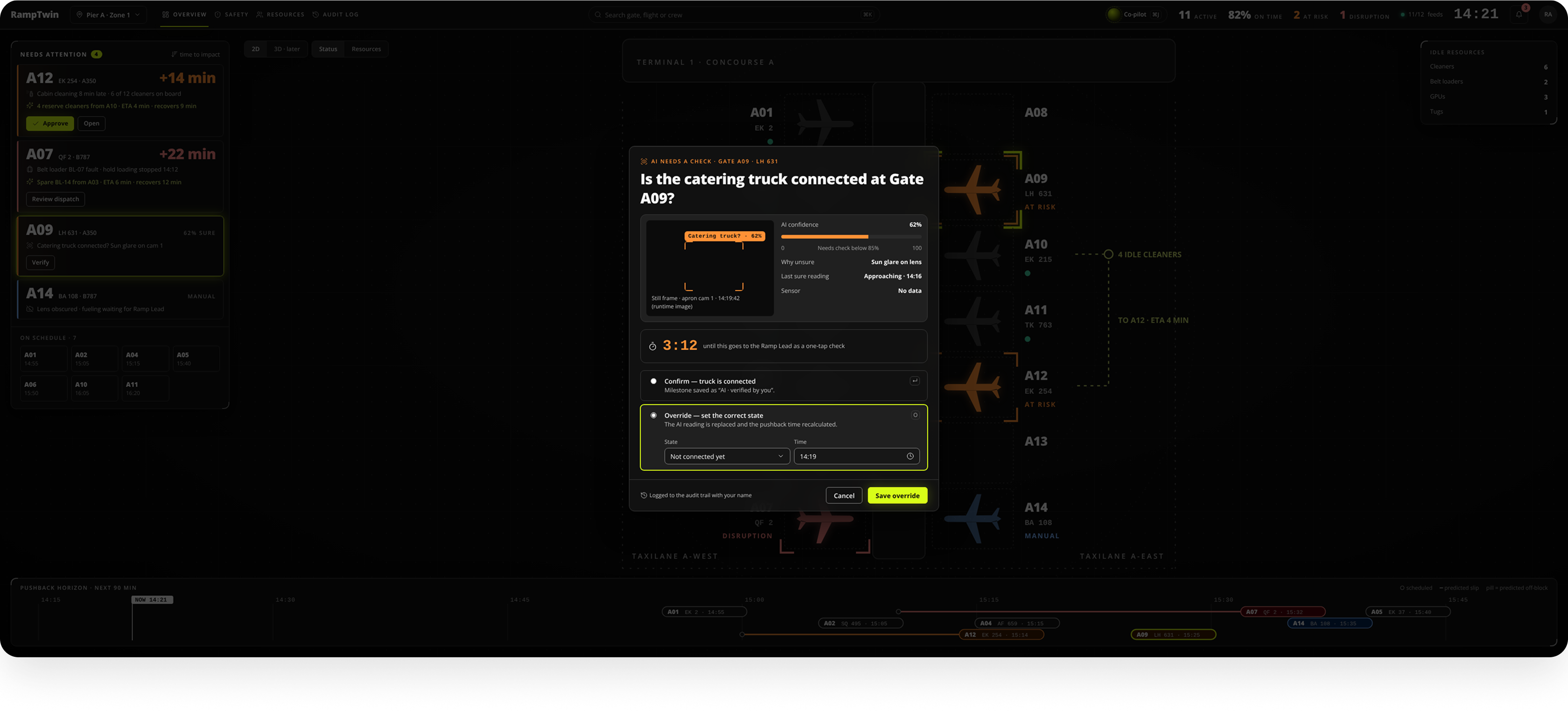
Confidence shown, never hidden.
When the ramp camera sees something it isn’t sure about, the controller gets the evidence, the AI’s confidence and two clear choices: confirm or override.
- Evidence frame from the apron
- Confidence shown, never hidden
- Human has the final say
Gloves on, sun out, engines running.
One shared operational language, adapted for heat, noise, glare and gloves. Tablet runs at 800 × 1280, light.
Readable at arm’s length.
Only the Lead’s two gates, a 72 pt countdown and 64 pt touch targets.
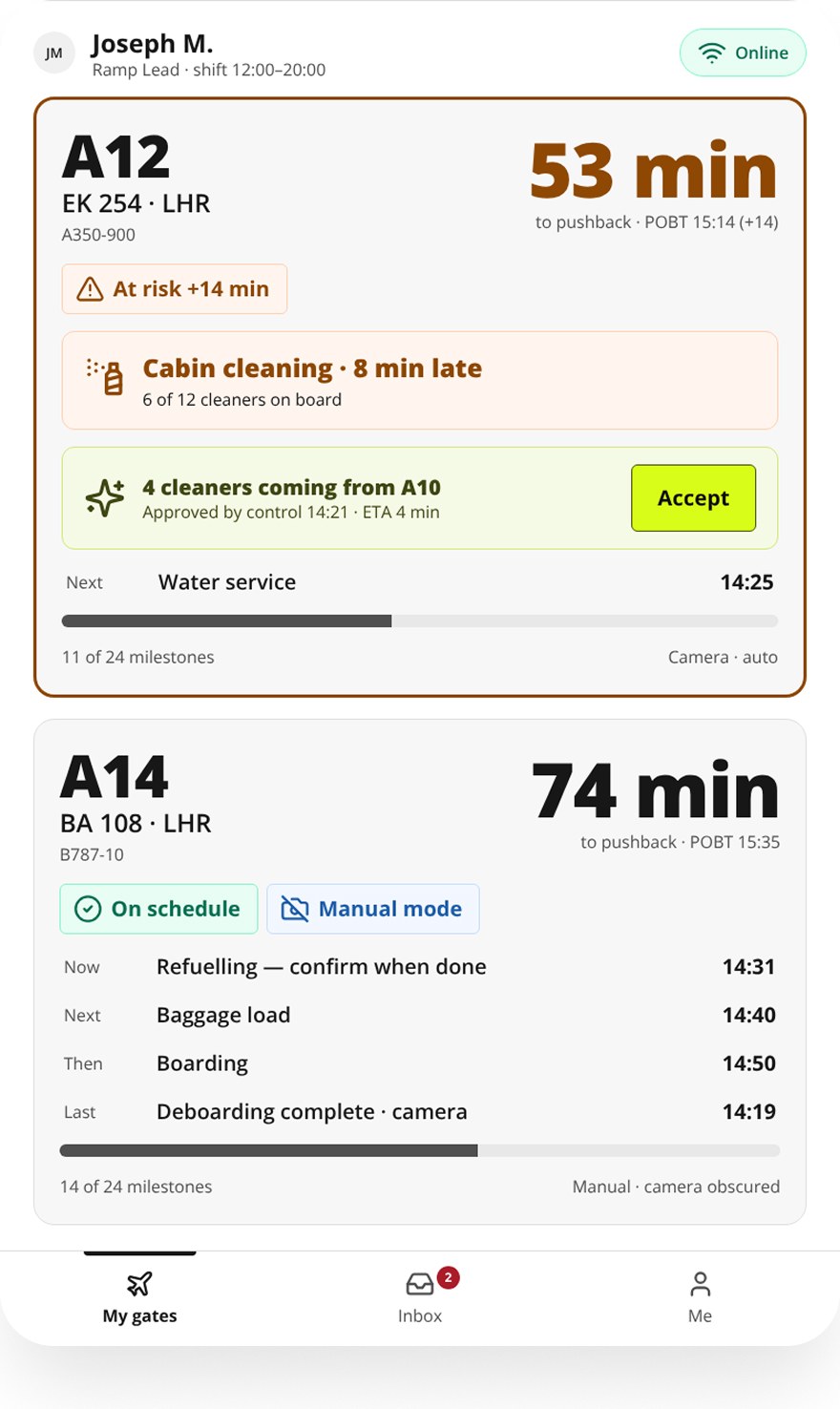
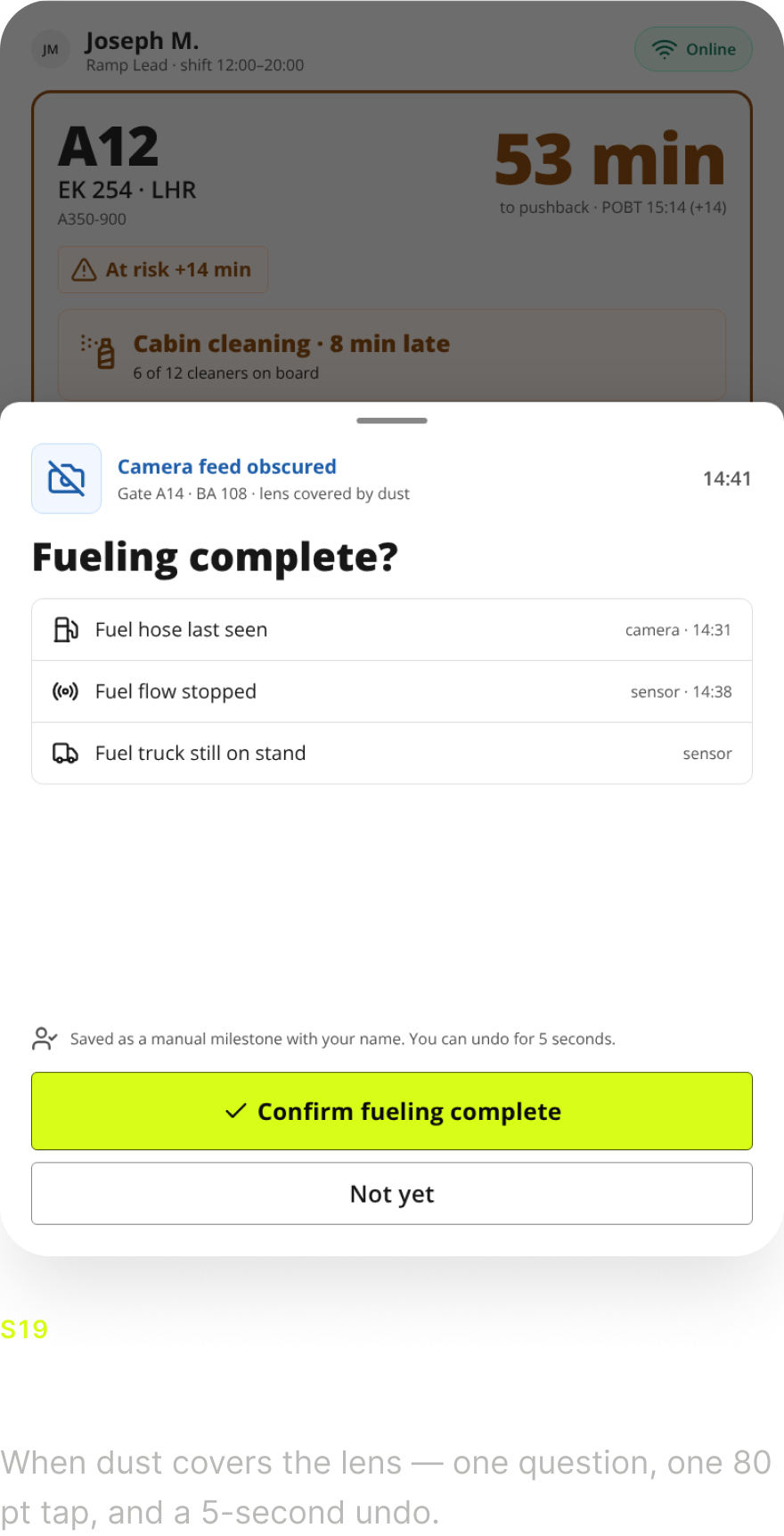
When dust covers the lens.
One question, one 80 pt tap, and a 5-second undo: “Has catering arrived at A12?”
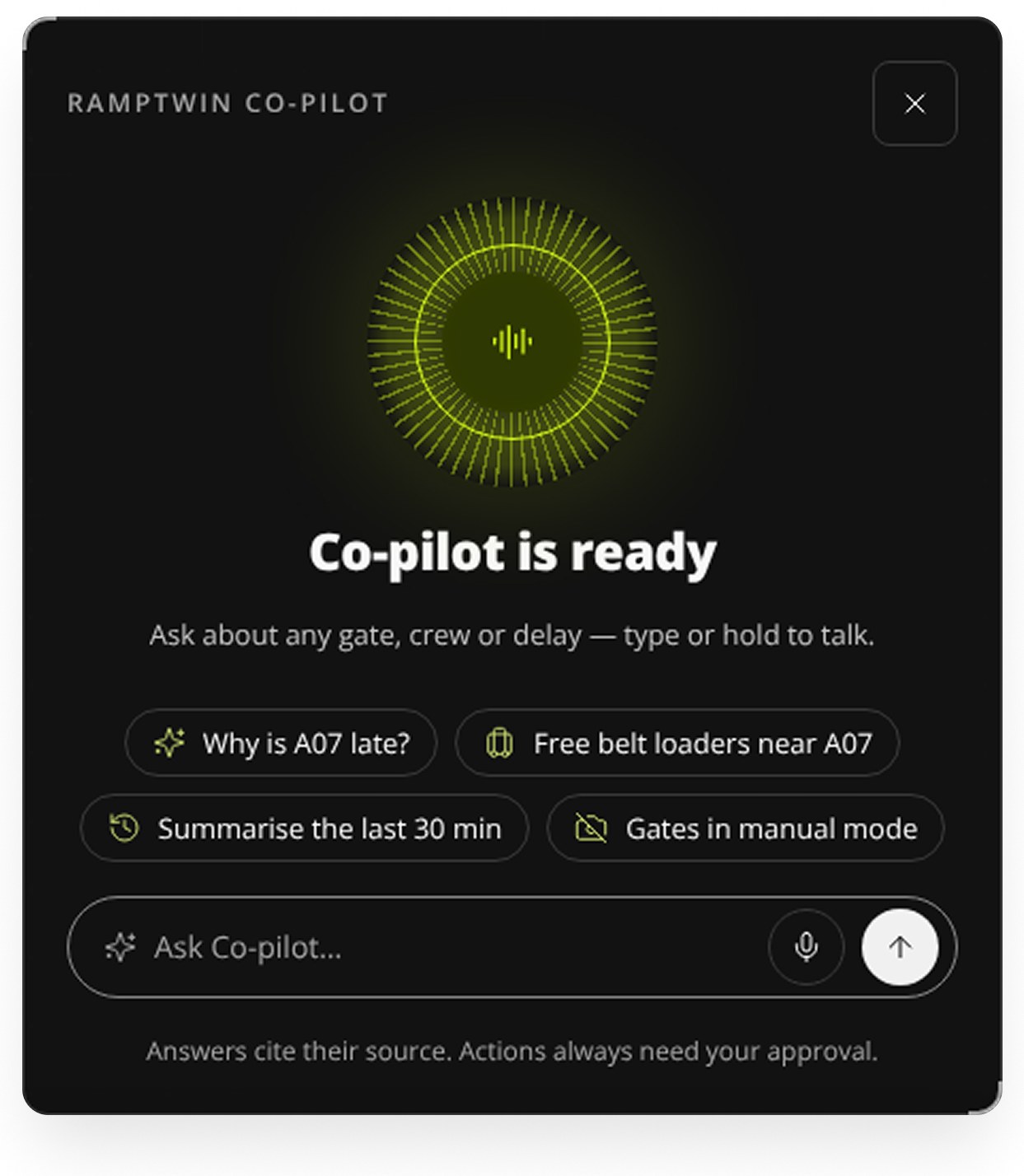
Present, never in the way.
A ⌘J orb in the top bar, answers that cite sources, and actions that always need approval.
Ask in plain words. Get an answer you can act on.
Docked at the edge of the console and silent until called. A controller can type “Why is gate B12 running late?” and get an answer that points to live data, plus the next best action.
- Never interrupts: opens only when asked
- Every answer cites the gate, task and time
- Suggests an action; the human approves it
Every AI moment has a rule.
What triggers each safeguard, and what the user sees when it does.
Explainability
Every prediction
Reason, evidence and operational effect
Confidence threshold
Below 85%
Review request before any state change
Human-in-the-loop
Every recommendation
Approve or override, always logged
Graceful degradation
Camera unavailable
One-tap field confirmation
From first warning to wheels-up, in five moves.
Three console screens, two tablet screens, and a Co-pilot that stays out of the way until someone asks.
Four rounds to get here.
From a three-column console to a full-screen twin with an AI co-pilot.
Three-column console
Full-screen digital twin + floating panels
Sci-fi finish, 800-weight hierarchy
AI Co-pilot
What a pilot will validate.
This is a concept. These are the metrics a pilot will measure.
North Star delay minutes
Early-warning lead time
Recommendation acceptance
Auto-confirmed milestones
Never a number without a reason.